How to Check a Suspicious Link Before Clicking
Quick answer
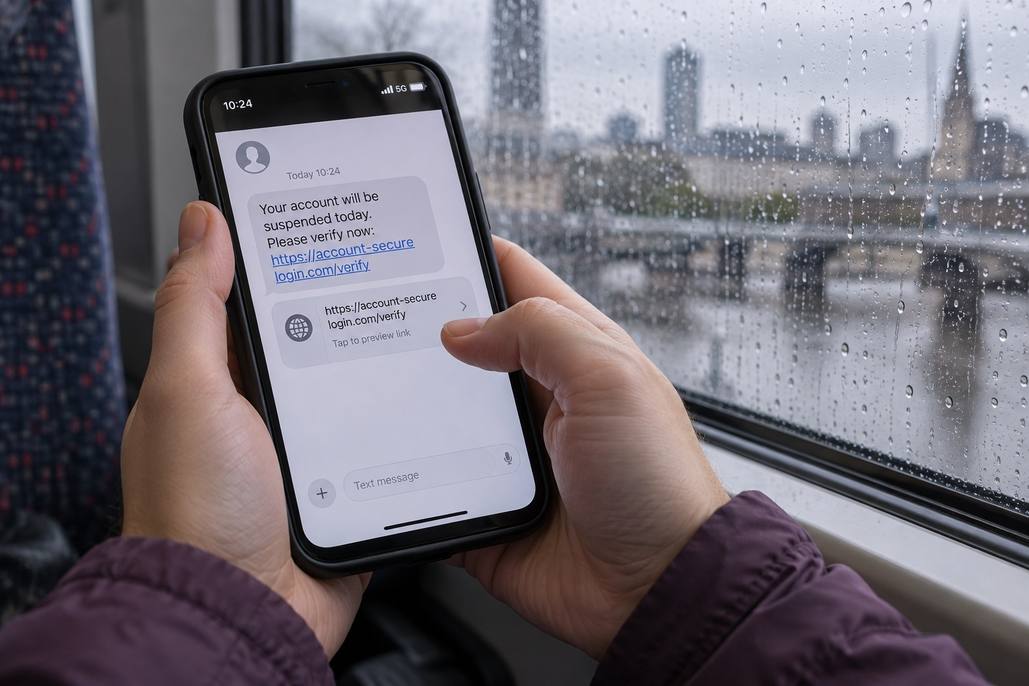
Check who sent the message, inspect the actual destination, and verify unexpected requests through a known website or contact method. Avoid opening links that pressure you to act immediately.
Step-by-Step
Pause before responding to urgency
Unexpected deadlines and alarming claims deserve verification before you follow instructions.
Inspect the full destination address
Look for misspellings, unfamiliar domains, or an address unrelated to the sender.
Verify through a separate trusted route
Open the organization’s known website yourself rather than using the message link.
Quick Check
Two quick choices. A next step for you.
- 1Your situation
- 2A closer look
What are you facing right now?
What if the message knows my name?
What is the message asking you for?
Does an HTTPS link prove safety?
What have you verified besides HTTPS?
What if I already entered my password?
Is that password used elsewhere?
Should I trust an urgent account warning?
How can you verify the request?
Your next step
Choose your situation to read the advice.
What if the message knows my name?
My information or login details
Personal details do not prove authenticity. Verify the request through a channel you already trust before sharing information or entering login details.
A download or unexpected action
Do not act just because the message knows your name. Verify the request through a known website or contact method before downloading anything.
Does an HTTPS link prove safety?
Only the padlock or HTTPS prefix
HTTPS does not prove the business or sender is legitimate. Open the organization’s known website yourself instead of relying on the message link.
The destination still looks unfamiliar
Do not continue based on encryption alone. Verify the destination through contact details or a website you already trust.
What if I already entered my password?
Yes, I reuse it elsewhere
Open the real service directly and change the exposed password. Change reused passwords elsewhere too, review account activity, and follow the service’s compromised account guidance.
No, this password is unique
Open the real service directly, change the exposed password, and review account activity. Follow its compromised account guidance for the next steps.
Should I trust an urgent account warning?
I know the official website
Open the organization’s known website yourself and check the request there. Avoid following the urgent message’s link.
I need another contact route
Pause and find a trusted contact method independently. Ask the organization to verify the request before following instructions or sharing information.
Common Mistakes
Trusting only the display name
A familiar sender name can appear on a message from someone else.
Relying on spelling mistakes alone
Deceptive messages can be polished, accurate, and free of obvious grammatical errors.
Calling numbers inside suspicious messages
Verify contact details independently before discussing the unexpected request with anyone.
Important Things to Know
Do not submit private links or confidential messages to public scanning services without understanding their data handling.
Bottom Line
When a request is unexpected, verify it independently. A familiar logo, personal greeting, or encrypted link cannot establish trust by itself.
Next article