How to Organize Digital Photos Without Losing Originals

Quick answer
Back up your photos first, group them by date or event, and use consistent album names. Review duplicates carefully before deleting anything from a synchronized library.
Step-by-Step
Protect the original collection
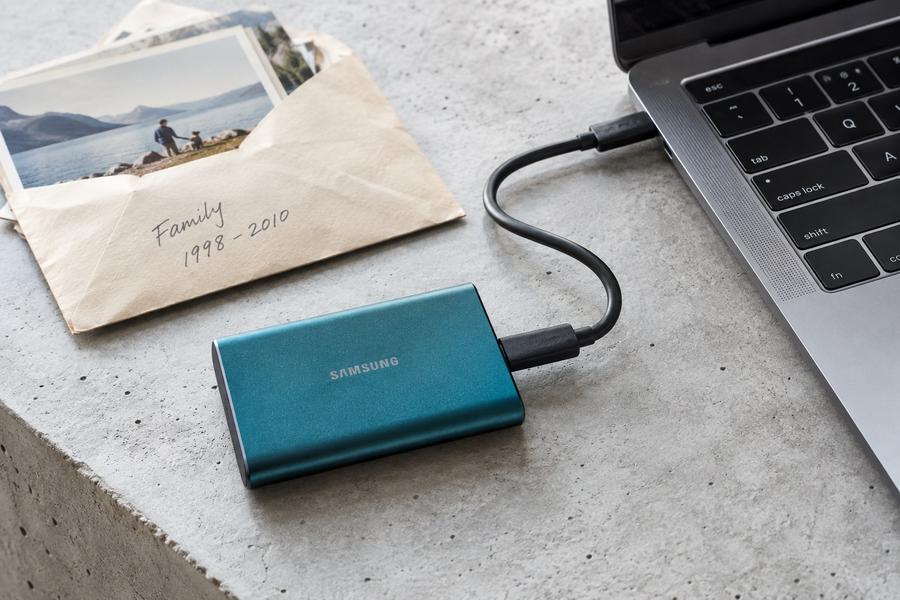
Make a separate backup before reorganizing folders or removing duplicate images.
Choose a simple grouping system
Use dates and recognizable events so future searches stay straightforward.
Review duplicates before removing them
Compare resolution, edits, and file details before deciding which copy to keep.
Quick Check
Two quick choices. A next step for you.
- 1Your situation
- 2A closer look
What are you facing right now?
What if photos are on several devices?
Have you verified the first transfer?
What if two photos look identical?
Have you checked the original files?
Will deleting an album delete photos?
What does the deletion message describe?
How should I name my photo groups?
How do you usually find photos?
Your next step
Choose your situation to read the advice.
What if photos are on several devices?
No, I am still copying files
Finish copying photos from one device into a protected collection. Verify the transfer before moving to another device.
Yes, the copied photos are intact
Record which device you have completed, then move to the next. Keep the collection protected as you continue.
What if two photos look identical?
No, only the previews look identical
Compare file size, resolution, and edits before deciding. Similar previews may represent different originals or compressed copies.
Yes, the versions differ
Keep track of which file is the original and which is edited or compressed. Do not delete based on a similar preview alone.
Will deleting an album delete photos?
Removing the album only
Read the full message and confirm that it removes the album rather than its underlying photos. Behavior depends on the application.
Deleting photos or unclear wording
Stop and check the application’s deletion behavior. Distinguish removing an album from deleting the actual photos before confirming.
How should I name my photo groups?
By when they were taken
Choose a consistent date-based naming system. Back up the collection before reorganizing, then use the same format for new groups.
By events I remember
Use recognizable event names with dates where helpful. Keep the naming pattern simple and consistent so future searches are straightforward.
Common Mistakes
Deleting before making a backup
An organization mistake is harder to undo without a separate original copy.
Using vague folder names
Names such as miscellaneous make meaningful events harder to find later.
Overwriting files with identical names
Different cameras may reuse filenames, so check collisions before combining folders.
Important Things to Know
Photo applications handle albums, folders, and synchronized deletions differently. Verify behavior with a small sample first.
Bottom Line
Preserve originals before tidying. Choose a naming system you will actually maintain, then organize a manageable batch at a time.
Next article